
Adaptive Memory
Memoryyoucanseeandcontrol
just4o.chat can save preferences and context you share, then bring the relevant ones into later chats so you repeat yourself less.
How memory works
Memories are saved to a global, project, or persona scope and retrieved when they are relevant to the chat.
- 1
You mention something
In conversation, you share preferences, context, or facts — even casually.
- 2
It is saved as a memory
Relevant details can be stored as scoped memories, organized across global, project, or persona context.
- 3
It is retrieved when relevant
The most relevant memories can be retrieved into the active chat, so you repeat yourself less.
In the product
Memory updates are visible in chat
When automatic memory saves or changes something, a badge in the thread shows the update.
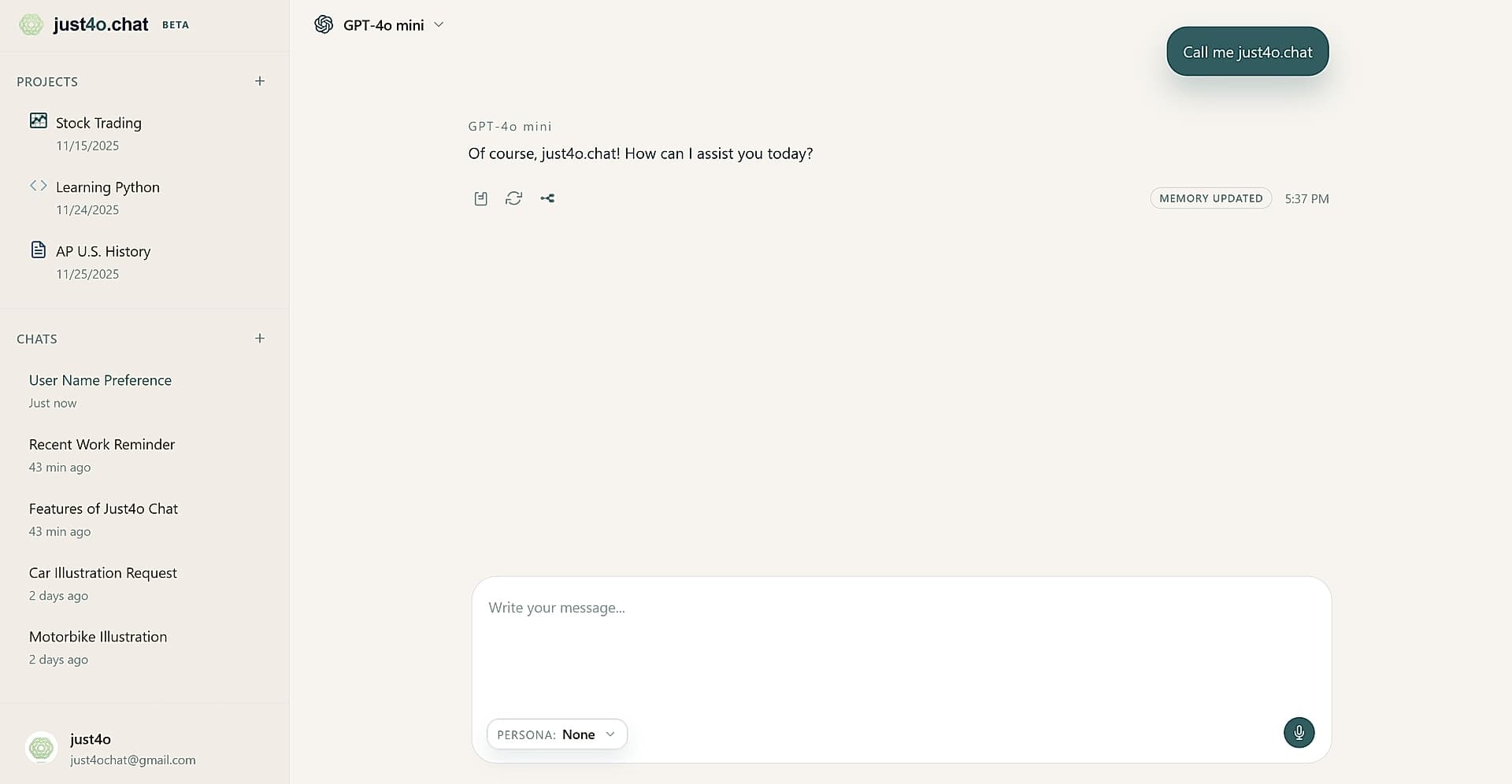
Memory changes appear in the conversation.
Scoped & searchable
What a memory looks like
Each memory is a short entry you can read, edit, or delete.
"Prefers bullet points over prose"
"Responds well to quick recaps before new tasks"
"Lead generation is the main goal"
"No technical jargon please"
"Responds better to concise answers"
"Prefers short paragraphs over walls of text"
Your control
Memory you can see, edit, and delete
You can view, edit, and delete memories, or turn memory off. Memories saved in a project stay with that project.
Read the privacy policy →